
Among the various solutions for business management offered by Odoo you can find a warehouse management application, with which you can manage your inventory in real time quickly and efficiently, learn how you can use Odoo as your inventory system…
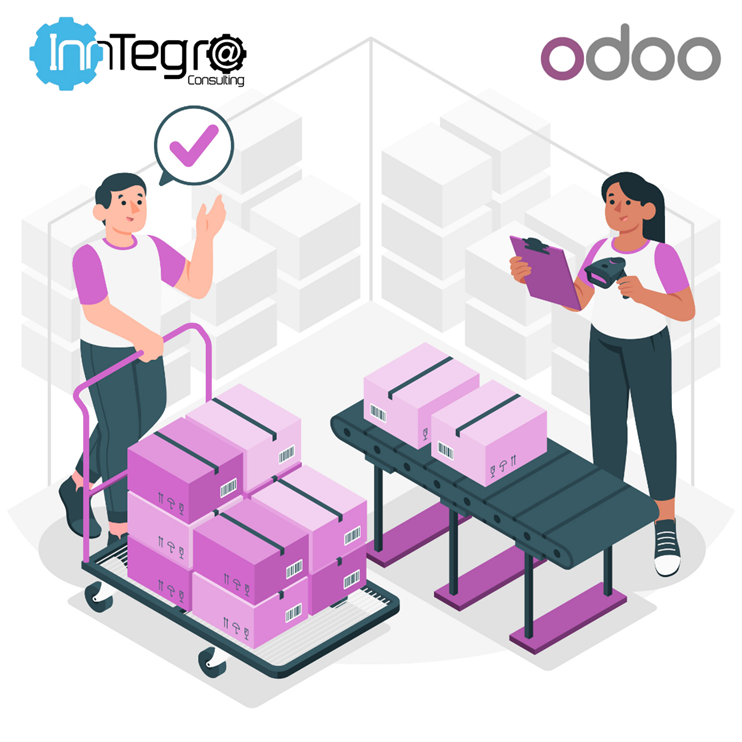
Inventory Operations
Organizing and supervising your inventory operations has never been so easy, through an intuitive interface you can carry out operations such as:
- Perform Inventory Jousting: Schedule your inventory count periodically, in different locations, by products or even by important lots, this way you can keep your inventory always up to date.
- Receive information on your packages: You will be able to get updates on the location of the packages to know where they are, you can also assign them a barcode to track their content.
- Organize your pending activities: From the platform it is possible to create dashboards for each of the inventory teams of your company, in them you can set daily tasks or with a deadline so that they are fulfilled in time and order.
- Order the products you receive: Visualize the arrival fronts indicated by your supplier and automatically convert the quantities you are receiving (If you buy in tons you can sell in pounds or kilos).
- Discard what you no longer need: Don’t waste time looking for each product you are going to discard, simply access and select the products you are going to discard get reports on their costs, the quantity of products and the reason why they are being discarded.
- Monitor returns: Configure routes for the evaluation of the status of the return, disposal, replenishment or renewal.
Put all your products in order
With Odoo systematizing your products is easy, within the inventory application you will find options to organize your products by type, whether they are storable, consumables or even services.
For consumable products you will be able to monitor their expiration date in advance, thanks to the possibility to schedule reminders and prepare orders automatically according to their withdrawal and expiration date.
Odoo also allows you to add custom fields to each of the products and variants, so your customers can make purchases based on the number of stock shown in real time.
If you work with suppliers, you can also use the function to upload suppliers’ price lists where it is possible to include fields such as prices, delivery times or product descriptions.
In addition to this, it is also possible to generate shipping labels for well-known carriers such as Fedex, DHL or UPS.
Managing your warehouse in an impeccable way
Now that you have all aspects of your products organized, you can also manage your warehouse to make sure everything is in the place and the way you need it, you can use Odoo to:
- Create locations to perform warehouse operations.
- Automate the shipment of products to the best location in the warehouse, according to the needs of each product.
- Choose the warehouse control technique that best suits your needs.
Don’t miss anything, restock your inventory
Already you know how you can use Odoo for your company’s inventory and products, but another very important aspect to keep your customers satisfied is that your products are available at all times, with Odoo you can achieve it.
In Odoo you will find functions to trigger purchase orders, manufacturing orders or even transfers between warehouses according to the reordering rules that you set, because they can be customized by minimum or maximum stock.
This feature also stands out because it automatically creates a request for quotation when the number of stock is lower than the one you set, so you can request purchase orders when you need it.
In addition with this application you can also generate a sales order or manufacturing order as soon as you receive a sales order, allowing for make-to-order manufacturing.
As if that were not enough, you can receive a report with a forecast of your products’ stock, from those that are available, enter or leave your warehouse, showing an approximate date when your products will run out, based on data such as the number of customer orders, scheduled shipment dates or existing manufacturing orders.
Making your shipments more efficient
How can you monitor, track and manage all your shipments? Odoo gives you features to:
- Triangulate shipments
- Create custom routes for transfers between different warehouses and locations.
- Talk to suppliers to deliver products directly to customers.
- Automatically generate delivery documents for raw materials, invoices for the subcontractor or even perform quality checks, before shipping a product to a customer.
- Set up different shipping methods such as pickup at a branch office, post office or third party shipping services.
- Track the movement and management of several warehouses from the same location.
You may be interested in reading: Get your business off the ground with Odoo

Make Odoo your Inventory System!
Inventory is a fundamental part in the management of a company, keeping track of your products will help you save time and money, sometimes it can be complicated to classify and organize each of them.
If you are looking to improve your inventory management, Odoo can be the solution for your business, At Global Inntegra Consulting we offer customized implementations to fit your needs, don’t wait any longer….